Last Updated: 12 November 2026
Quick Summary
Civic technology is the set of digital tools that help residents find information, book spaces, use services and take part in community life. Libraries plan it by assessing community needs, prioritising the most pressing barriers, validating choices with patrons and partners, and measuring results with clear data governance.
- Run a needs assessment in four phases: gather, prioritise, validate and commit.
- Score each need on reach, severity, right provider and whether technology would genuinely help.
- Reach underserved patrons through trusted community partners, not only library channels.
- Limit delivery plans to one or two priorities per budget cycle to keep staff capacity realistic.
- Publish a short data-governance statement covering collection, retention, access and patient rights.
Table of Contents
- Why Civic Technology Now Matters for Libraries
- Libraries as Civic and Community Anchors
- Library Technology Planning: A Practical Needs Assessment
- Digital Inclusion in Libraries: Access, Skills and Devices
- Community Engagement in Public Libraries Through Civic Tools
- Choosing Events, Room and PC Booking Software
- Measuring Outcomes, Privacy and Data Governance
- Booking a SOLUS Demo to Plan Your Library’s Next Step
- Frequently Asked Questions
Why Civic Technology Now Matters for Libraries
Libraries are becoming civic infrastructure. Public libraries are increasingly described as places for education, public problem-solving, media literacy and community trust-building, and the 2018 University of Washington study on civic engagement shows how librarians can support that role Public libraries as platforms for civic engagement.
That makes civic technology planning a real priority. Patron expectations are changing, and libraries are being pushed to move away from legacy products that no longer meet operational needs. A 2026 report on library systems makes the same point, noting that libraries will be increasingly motivated to replace old products Library Systems Report 2026: Innovation under constraint.
The question is no longer whether to plan technology for civic life, but how to do it well. Civic technology is the set of digital tools that help residents find information, book spaces, use services and take part in community life. Planning it means matching those tools to what your community actually needs.
- Patrons expect services that work on their own schedule
- Staff need tools that reduce manual work
- Leaders need proof that spending delivers community value
Libraries as Civic and Community Anchors
Libraries have long been spaces where people meet, learn and get help. That role now reaches further into digital life. Shaping the Future of Libraries: Community, Technology, and Access.

This anchor role depends on trust. Patrons return when a library is easy to reach, honest about what it offers and responsive to local concerns. Civic technology should strengthen that trust rather than add friction.
Practical ways libraries act as anchors include:
- Offering public access to computers and reliable connections
- Hosting events and meeting rooms that residents can book easily
- Sharing local information through a clear, searchable discovery platform
- Working with local government and community groups on shared goals
Library Technology Planning: A Practical Needs Assessment
Good planning starts with a clear picture of what your community needs. A needs assessment is a structured look at who uses your library, what they struggle with and which services would help most. A repeatable process is often more useful than a one-off survey, because civic technology priorities shift as local services move online and as partner organisations change.
A practical civic technology needs assessment has four phases: gather, prioritise, validate and commit. Each phase should produce a short written output that staff and partners can act on.
Phase 1: Gather evidence. Combine quantitative and qualitative sources rather than relying on anecdote.
- Export twelve months of usage data for rooms, PCs, events, printing and digital resources, and segment it by branch, time of day and patron type where your systems allow.
- Review service-desk tickets and front-desk logbooks for recurring friction points, such as password resets, booking clashes or form-filling help.
- Run short structured interviews with staff who handle patron queries, because they see barriers that usage data cannot capture.
- Map existing partnerships with local government, community organisations and schools, and note which services already depend on library space or connectivity.
Phase 2: Prioritise. Score each identified need against four criteria: how many residents it affects, how severe the barrier is, whether the library is the right provider, and whether a technology intervention would genuinely help. A simple scoring grid with a one-to-five scale for each criterion is usually enough. Rank the results and discard anything that scores low on both reach and severity, even if it is popular with staff.
Phase 3: Validate. Test your top priorities with people outside the library before committing budget. Share a one-page summary of the proposed priorities with partner organisations, resident groups and frontline staff, and ask three questions: is this the real problem, who else is already addressing it, and what would success look like. This step prevents the common failure of buying a tool that solves an internal workflow problem rather than a patron need.
Phase 4: Commit. Turn the validated priorities into a short delivery plan with named owners, a budget envelope and review dates. Limit the plan to one or two priorities per budget cycle so that staff capacity is realistic.
Gathering Community Feedback From Underserved Patrons
Feedback from people who already visit the library is useful, but it misses those who stay away. Reach beyond your usual users by going to them. Hold short sessions at community centres, schools, food banks, places of worship and local events, and ask people what would make the library easier to use. Partner organisations can host sessions and introduce you to people who would not respond to a library-branded invitation.
Keep questions open and concrete. Ask where people go to find information, what time of day they can visit and which barriers stop them from signing up. Record answers in plain language, then group them into themes. Where possible, offer a small incentive such as a refreshment or a printing credit, and be clear about how feedback will be used.
Watch out: a survey written only in English, offered only online, can exclude the patrons who need your services most. Offer paper forms, translations, telephone or in-person options, and accessibility support such as easy-read versions. Recruit through trusted intermediaries rather than only through library channels, and report back to participants on what changed as a result of their input.
Digital Inclusion in Libraries: Access, Skills and Devices
Digital inclusion means that everyone in the community can get online, use digital tools and feel confident doing so. Libraries often provide the only free access point for residents without a home connection or device.
Inclusion has three parts:
- Access: reliable public computers, Wi-Fi and devices to borrow
- Skills: training that helps people use email, forms and online services
- Confidence: staff who answer questions patiently and without judgement
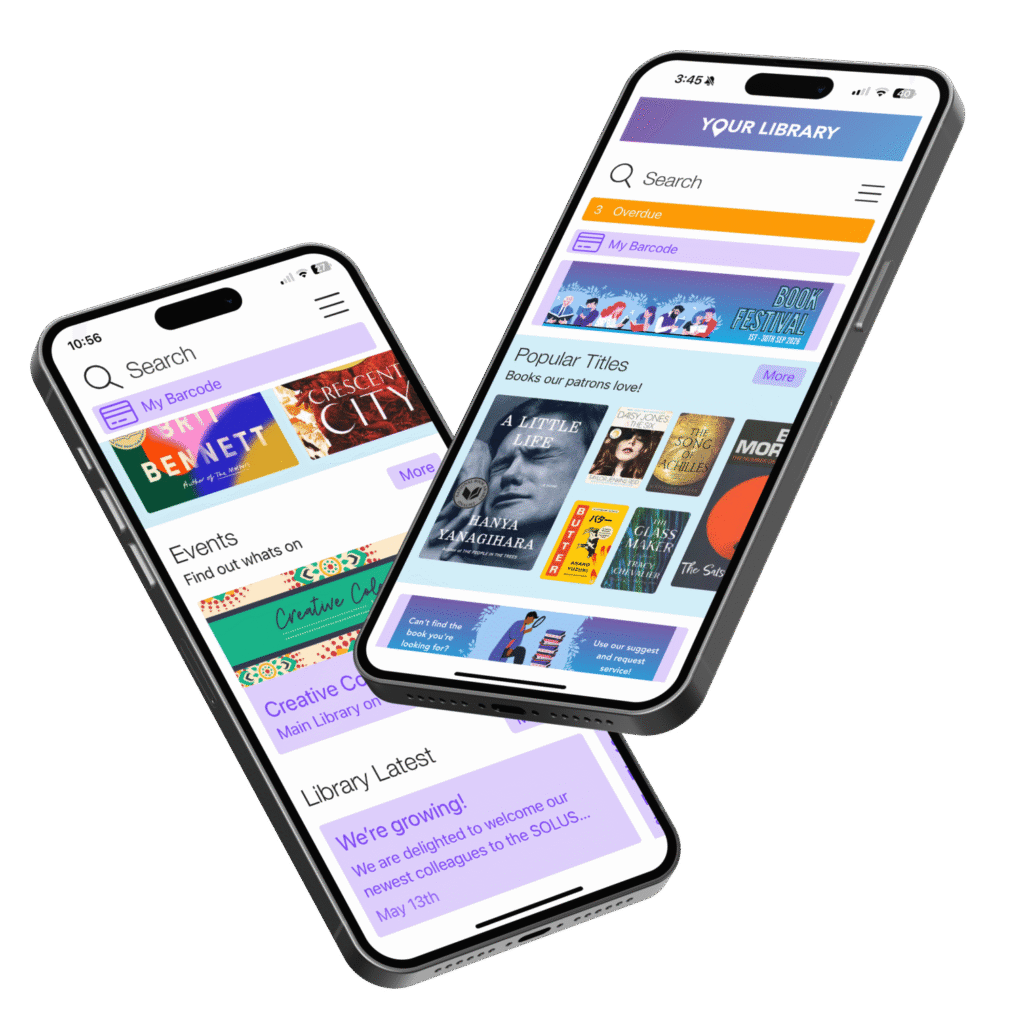
Mobile access also matters. Library apps let patrons reach resources outside opening hours, which helps residents who work shifts or have caring duties. Libraries planning round-the-clock reach can read about how library apps extend access beyond opening hours.
Community Engagement in Public Libraries Through Civic Tools
Civic tools help residents take part in community life. They can promote local events, share council updates, collect feedback and connect people with groups that meet at the library.
The strongest engagement tools are personal. A patron who sees events matched to their interests is more likely to attend.
Engagement works best when it runs both ways. Share information from the library, then ask patrons what they want to see next.
Choosing Events, Room and PC Booking Software
Many libraries struggle with manual booking. Paper sign-up sheets and email threads cause double bookings, slow staff down and frustrate patrons. Booking software fixes these problems when it fits your workflow.
When comparing options, check these points:
- Can patrons book rooms, events and PCs in one place?
- Does the calendar show live availability?
- Can staff set rules, limits and approvals without help from IT?
- Does it report on usage so you can justify decisions?
SOLUS offers an events calendar system that enables marketing and bookings for events, rooms, spaces, resources and PCs, designed for libraries of all sizes. Readers can explore the library-centric Events and Bookings calendar in full. Patrons can see how PC booking and access management works within the same system.
Pricing depends on quantity, dates, and delivery. Please contact SOLUS directly for a current quote.
The article sets out what to check when comparing booking software for events, rooms and PCs.
| Check | Why it matters |
|---|---|
| One place for rooms, events and PCs | Patrons book everything in one system |
| Live availability on the calendar | Prevents double bookings |
| Rules and approvals set by staff | No IT help needed to change them |
| Usage reporting | Supports decisions with evidence |
Measuring Outcomes, Privacy and Data Governance
Civic technology should be judged by results, but results only mean something if they are defined before launch and if the data used to measure them is governed properly. Most libraries find that a short measurement framework and a written data-governance statement do more for accountability than a large dashboard nobody reviews.
Define outcomes and indicators. Start from the priorities agreed in your needs assessment and write one outcome statement for each, then two or three indicators that would show progress. Useful civic technology indicators include:
- Service uptake: bookings per month, unique PC users, event registrations and attendance rates
- Digital confidence: completion rates for digital-skills sessions and follow-up self-reported confidence
- Successful task completion: the proportion of patrons who complete an online form, application or booking without staff intervention
- Participation: responses to consultations, attendance at civic events and use of open-data resources
- Equity: uptake among groups identified as underserved in your assessment, compared with overall uptake
Set a baseline before launch, agree a review interval such as quarterly, and assign an owner for each indicator. Avoid collecting data that no decision depends on.
Build a data-governance statement. This should be a short, published document that covers what patron data you collect, why you collect it, how long you keep it, who can see it and how patrons can access, correct or delete it.
Handle consent explicitly. Where civic technology involves accounts, personalised recommendations, public-service sign-in or open-data publishing, patrons should understand what is shared and with whom.
Manage vendors and security. Before signing, ask vendors to explain where data is stored, how it is encrypted, who can access it, how breaches are reported and how records can be exported or deleted at contract end. Check that accessibility and data-protection requirements are written into the contract, not left to goodwill.
Watch out: personalisation and analytics features can quietly expand the data you hold about patrons. Review what each tool collects by default, switch off anything you do not need, and document the decision so that future staff understand why a feature is disabled.
Measure with restraint and govern with transparency. Collect only the data you need to make decisions, tell patrons how you use it, and publish a short annual summary of what your civic technology achieved and what you changed as a result.
Booking a SOLUS Demo to Plan Your Library’s Next Step
Civic technology planning is easier with a clear next step. Start with your needs assessment, shortlist the tools that match your priorities and test them with the staff who will use them every day.
SOLUS helps libraries of all sizes, from single branches to large consortia, build a digital service that is easy for patrons and manageable for staff. Book a demo to see how these tools would work in your library.
Frequently Asked Questions
What is civic technology in a library context?
Civic technology in a library context means the digital tools and services that help patrons take part in community life. This includes public access computers, online discovery of local information, room and event booking, and open data resources. For libraries, the aim is to make civic participation easier and more equitable, particularly for people who lack reliable broadband or devices at home. Libraries increasingly act as civic infrastructure for education, media literacy and community trust-building, and their technology planning should reflect those roles.
How can libraries identify patrons’ technology needs?
Start with a structured needs assessment that combines usage data, such as computer bookings and room requests, with direct feedback from patrons. Surveys, focus groups and informal conversations at service desks all help. Pay particular attention to underserved groups, because their needs often differ from regular users. Use the findings to set priorities for library technology planning, and revisit them regularly as patron expectations change, since libraries are increasingly under pressure to move away from legacy products.
What role do libraries play in bridging the digital divide?
Libraries provide free public access to computers, broadband, devices and digital skills training, which makes them a key route into digital inclusion in libraries. They also help patrons use online government and civic services, and they guide responsible use of emerging tools such as AI. Effective inclusion depends on accessible interfaces, staff training and services designed around local community needs rather than assumptions about what patrons already know.