Table of Contents
- Why patrons struggle to find what your library already owns
- What modern library discovery systems actually do
- Library search relevance: the difference between a hit and a dead end
- Integrated library search across print, digital and community services
- Library website usability: small changes that reduce patron frustration
- What to look for in a library resource discovery platform
- Common mistakes that undermine library resource discovery for public libraries
- Frequently Asked Questions
Last Updated: 15 October 2026
Why patrons struggle to find what your library already owns
Most public libraries already own far more than their patrons can find. That gap between what sits on the shelf or in the digital collection and what people actually discover is the core problem behind library resource discovery for public libraries. At SOLUS, we work with libraries of every size, and the same story comes up again and again: the content is there, but the search experience hides it.
Patrons do not fail because they lack curiosity. They fail because discovery is hard.
A common mistake is treating search as a catalogue problem alone. In practice, it is a design problem. A patron types a plain phrase like “books about starting a business” and gets a wall of results sorted by title, not by what they meant. So they give up and ask a librarian, or they leave.
The real issue is rarely the collection. It is the path to it.
What modern library discovery systems actually do
Modern library discovery systems pull every resource into one searchable layer: print books, e-books, audiobooks, journals, local history archives, events, room bookings and PC sessions. Instead of sending patrons to five different tools, a discovery system gives them one box and one set of results.
That single layer matters more than any individual feature. When a patron searches once and sees everything the library offers, they find more and ask less.
Here is what a good system does:
- Searches print, digital and community services together
- Ranks results by relevance, not just by date added
- Shows availability, location and format at a glance
- Suggests related titles and topics
- Links straight to events, rooms and resources
The goal is simple. A patron should find something useful in the first few results, every time.
Library search relevance: the difference between a hit and a dead end
Library search relevance is how well a result matches what the patron actually meant, not just the words they typed. A relevant search returns a hit. A weak one returns a dead end, and dead ends are what send people away.

Relevance breaks down in predictable ways. A patron searches for “space” and gets astronomy, when they wanted a meeting room. They search an author’s name and get a biography instead of the novel. They misspell a title by one letter and get nothing at all.
Good relevance handles all of that. It understands synonyms, corrects small spelling slips, and reads intent. It also learns from what patrons click and borrow.
The fastest relevance win is not a new algorithm. It is clean, consistent metadata. Fix your title, author and subject fields before you blame the search engine.
Integrated library search across print, digital and community services
Integrated library search means one search covers everything the library does, not just the catalogue. That includes books, databases, events, room bookings and public computers.
This is where many libraries fall short. Their catalogue works, but their events live on a separate site and their room bookings sit behind a third login. Patrons bounce between systems and lose track of what they wanted.
Bringing it together changes behaviour. A patron searching for a cookbook might also spot a cooking class, then book a study room for the weekend. One search, three services.
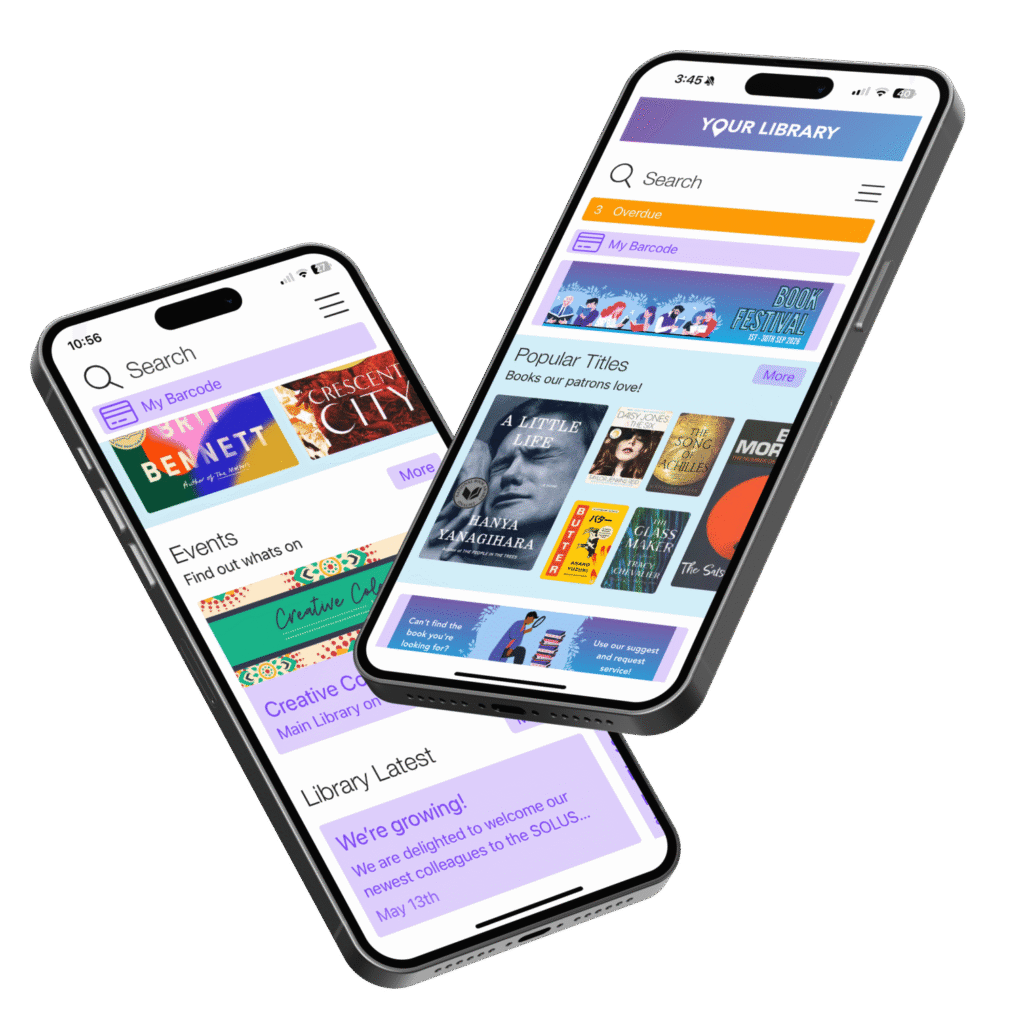
That is the model we build at SOLUS. Our ecosystem joins a web discovery platform, patron and staff mobile apps, and an events calendar that handles bookings for events, rooms, spaces, resources and PCs. It is designed for libraries of all sizes, from a single branch to a large consortium.
Library website usability: small changes that reduce patron frustration
Library website usability is how easily a patron can complete a task on your site without help. Small fixes here cut frustration fast.
Start with the search box. Put it at the top of every page and make it the biggest thing on the screen. Patrons should never hunt for it.
Then fix these common friction points:
- Clear labels instead of library jargon
- Fewer clicks from search to borrow
- Mobile-first layouts, since many patrons search on a phone
- Plain error messages that suggest a next step
- Visible opening hours and branch locations
None of these cost much. Together they change how patrons feel about the whole service.
Patrons judge your library by the first ten seconds on your site. A fast, obvious search box does more for satisfaction than any single feature behind it.
What to look for in a library resource discovery platform
Choosing a platform comes down to fit, not size. The right system should match your collection, your staff and your budget.
Use this checklist when you compare options:
- Does it search print, digital and community services in one place?
- Can it handle relevance tuning without deep technical work?
- Does it offer patron and staff mobile apps?
- Can staff manage events and room bookings in the same system?
- Will it integrate with your existing ILS, or force a full replacement?
- Does it scale from one branch to a full consortium?
- Is there proof from libraries your size?
That last point matters most. Ask for references from libraries like yours and talk to them directly.
| Priority | What to check | Why it matters |
|---|---|---|
| Search quality | Relevance tuning and spell handling | Fewer dead ends, more hits |
| Integration | Works with your current ILS | Less disruption for staff |
| Staff tools | Automates manual workflows | Saves librarian time |
| Scale | Fits one branch or a consortium | Grows with your system |
| Proof | References from similar libraries | Confirms real results |
Pricing depends on your setup, so ask for a quote rather than guessing from a list.
Common mistakes that undermine library resource discovery for public libraries
The biggest mistake is buying a new platform to fix a data problem. If your metadata is messy, no search engine will save you. Clean the data first.
Other mistakes show up just as often:
- Running search, events and bookings on separate systems
- Ignoring mobile patrons
- Letting jargon fill the interface
- Skipping staff training on the new tools
- Never reviewing what patrons actually search for
Each one adds friction. Each one is fixable.
The libraries that get this right treat discovery as an ongoing job, not a one-time project. They watch search logs, tune relevance, and keep the interface simple. That habit, more than any single tool, is what keeps patrons finding what you already own.
Frequently Asked Questions
What is a library discovery system?
A library discovery system is the search layer that sits on top of your catalogue, databases and digital collections, giving patrons a single place to find physical items, ebooks, journal articles and community services. Unlike a basic catalogue, it pulls results from many sources, applies relevance ranking and presents them in a format that feels closer to a commercial search engine. For public libraries, the aim is to reduce the number of separate searches a patron has to run before they find something useful.
How can public libraries improve the relevance of search results?
Start by looking at what patrons actually type and where they give up. Common fixes include boosting local and popular titles in the ranking, adding synonym mapping so ‘crime’ also returns ‘mystery’, and making sure branch-specific availability is visible in the result card. Clean metadata matters too: inconsistent author names or missing subject tags will pull irrelevant items to the top no matter how good the search engine is. Reviewing search logs monthly is one of the simplest ways to spot patterns.
Can a library discovery system search across print and digital resources?
Yes, most modern discovery systems are built to search across both. They connect to your integrated library system for physical stock and to ebook, audiobook and database platforms for digital items, then merge the results into one list. The practical benefit is that a patron searching for a cookbook sees the shelf copy, the ebook and any relevant magazine articles together, rather than having to check three different places. The quality of that merged experience depends on how well each source is indexed.
How can public libraries help patrons discover events and other services?
Treat events, room bookings and PC sessions as part of the discovery experience, not a separate website. When a patron searches for ‘local history’, showing a relevant talk happening next week alongside the books on that subject turns a search into a visit. Some libraries use a calendar system that feeds directly into the discovery platform so events appear in search results automatically. This approach helps patrons see the library as a place with things happening, not just a building full of books.
Patrons who cannot find your resources assume you do not have them. Closing that gap takes a discovery layer built for libraries, not adapted from something else. At SOLUS, we build a web discovery platform, patron and staff mobile apps, and an events calendar that handles bookings for events, rooms, spaces, resources and PCs, all designed to scale from a single branch to a large consortium. Book a demo with SOLUS and see how your collection can finally meet your community.