Table of Contents
- What is a library management system?
- Essential library software features for modern libraries
- Free and open-source library management systems
- Selecting the right library management system for your needs
- Library system migration: Planning and execution
- Integration with existing library infrastructure
- Frequently Asked Questions
Last Updated: 18 October 2026
What is a library management system?
A library management system is software that helps libraries organise, track, and provide access to their collections and services. It handles cataloguing, patron accounts, circulation, inventory management, and digital resource access all in one platform.
Think of it as the operational backbone of a modern library. Without it, tracking thousands of physical items, managing patron records, and coordinating staff workflows becomes chaotic. The system connects your physical collection to your digital presence, allowing patrons to search, reserve, and renew materials from anywhere.
According to the Institute of Museum and Library Services, approximately 9,000 public libraries across the United States rely on integrated systems to serve their communities. At SOLUS, we’ve observed that libraries choosing modern systems often see dramatic improvements in patron satisfaction and staff efficiency, particularly when the system includes intuitive discovery platforms and mobile access alongside traditional catalogue functions.
The best library management systems do more than store data. They create seamless experiences for both patrons and librarians. A good system reduces manual data entry, automates routine tasks, and integrates with other tools your library already uses.
Essential library software features for modern libraries
The core features that matter vary depending on your library’s size and needs. However, certain capabilities have become essential across nearly all library types.
Patron discovery and search functionality sits at the heart of modern library software. Patrons expect search results that actually match what they’re looking for, not buried under irrelevant entries. Poor search results frustrate users and underutilise your collection. A strong discovery platform surfaces relevant materials quickly and learns from patron behaviour to improve results over time.
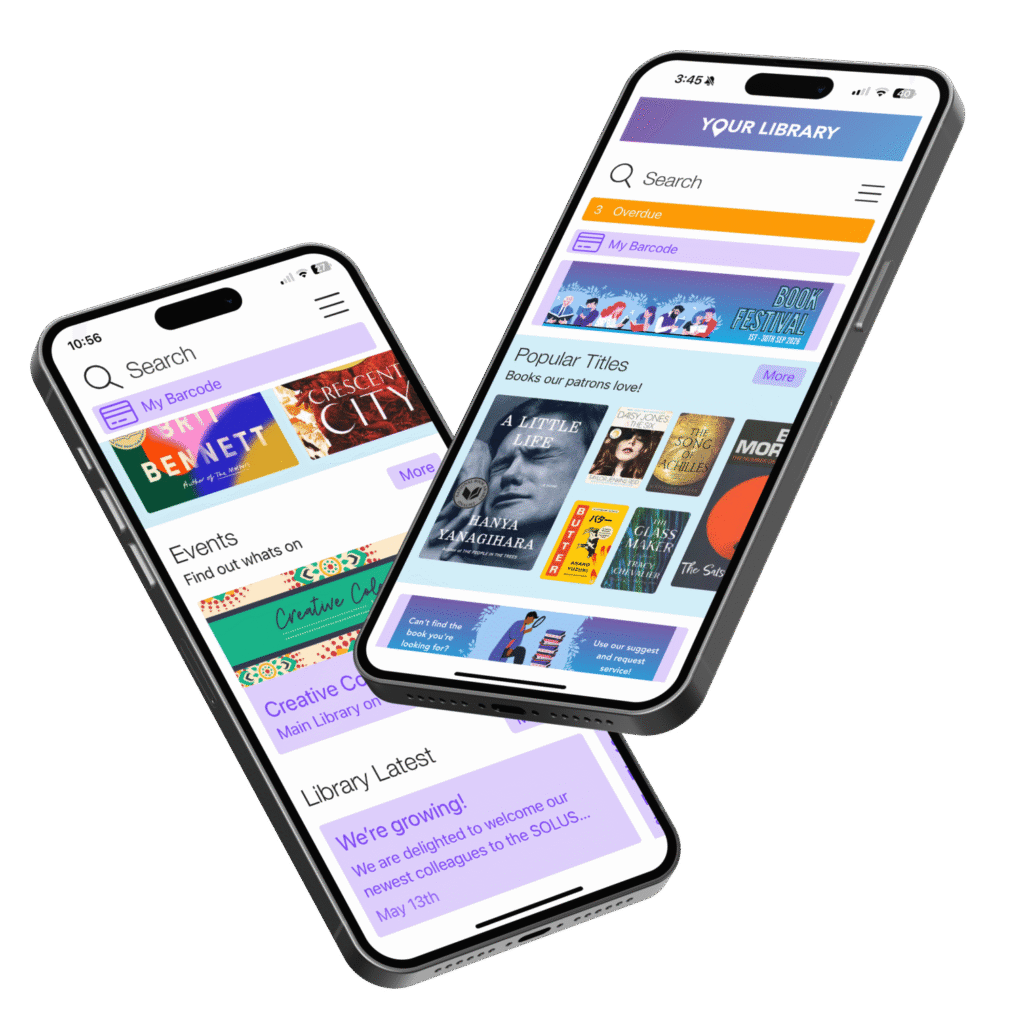
Mobile access has moved from optional to essential. Patrons want to search your catalogue, check due dates, renew items, and place holds from their phones. Staff also benefit from mobile tools for tasks like shelf-reading and checking in returns.
Event and room booking management addresses a real operational challenge. Libraries increasingly host programmes, workshops, and community events. Managing bookings, capacity, and scheduling manually wastes staff time. Integrated booking systems let patrons reserve study rooms and register for events directly, whilst staff gain visibility into facility usage.
Integration capabilities determine whether your new system plays nicely with existing tools or creates data silos. Your library likely uses multiple vendors for different functions, accounting software, email systems, third-party databases. A system that integrates smoothly reduces duplicate data entry and keeps information consistent across platforms.
| Feature | Why It Matters | User Benefit |
|---|---|---|
| Discovery platform | Helps patrons find relevant materials quickly | Increased collection usage |
| Mobile app | Enables access anywhere, anytime | Higher engagement and renewals |
| Booking system | Simplifies event and room reservations | Reduced staff manual work |
| Integration tools | Connects with existing library systems | Cleaner workflows, less duplication |
| Reporting and analytics | Shows what’s working and what isn’t | Data-driven decisions |
Free and open-source library management systems
Many libraries, particularly smaller branches or those with tight budgets, explore free and open-source options. These systems offer genuine value but come with trade-offs worth understanding.
Open-source systems eliminate licensing costs, which appeals to libraries facing funding pressures. They also provide transparency, you can review the code and customise it to your specific needs. However, open-source typically requires more technical expertise to install, configure, and maintain. If your IT staff is already stretched thin, the time investment may outweigh the cost savings.
Free options exist, though they’re often limited in scope. A free tier might handle basic cataloguing but lack the discovery, mobile, or integration features that modern patrons expect. Many libraries use free systems as a starting point, then upgrade as their needs grow.
The real consideration isn’t free versus paid, it’s whether the system delivers the functionality your library and patrons actually need. A free system that doesn’t meet your requirements costs more in staff time and lost patron engagement than a paid system that does.
Selecting the right library management system for your needs
Choosing a library management system is a significant decision that affects daily operations for years. Start by assessing your actual requirements, not just what sounds impressive.

Evaluate your current pain points first. Are patrons complaining about search results? Are staff spending hours on manual tasks that could be automated? Is your existing system failing to integrate with tools you depend on? The best system solves your specific problems, not generic ones.
Consider your library’s size and complexity. A single-branch library has different needs from a large consortium managing dozens of locations. Pricing models vary widely, some charge per location, others per user or transaction. Clarify what you’re actually paying for before comparing options.
Test with real scenarios. Ask vendors for a demo using your actual data, not sanitised examples. Search for materials your patrons actually request. Try the mobile app on your network. See how the system handles integration with your existing tools. What works in a presentation may stumble in reality.
Talk to similar libraries. Request references from libraries comparable to yours in size, budget, and complexity. Ask what they wish they’d known before switching. Learn what surprised them, both positively and negatively.
Library system migration: Planning and execution
Moving to a new library management system disrupts operations. Proper planning minimises disruption and maximises success.
Many libraries worry that migration will be catastrophically disruptive. In reality, most well-planned migrations succeed with manageable short-term friction. The key is realistic preparation and clear communication with staff and patrons.
Start with a data audit. Before migration, understand what data you actually have and what condition it’s in. Incomplete records, inconsistent formats, and duplicate entries will cause problems in your new system. Cleaning data beforehand prevents those problems from migrating into your new platform.
Plan a realistic timeline. Rushing migration leads to data loss and staff frustration. A phased approach, perhaps starting with one branch or one function, allows you to identify problems before they affect your entire operation.
Prepare staff thoroughly. Your team needs training before go-live, not after. Build in time for hands-on practice with your actual data. Staff confidence directly affects how smoothly migration proceeds.
Communicate with patrons. Let patrons know what’s changing, when it happens, and how it affects them. Brief disruptions to search or account access are normal during migration. Transparency prevents confusion and frustration.
Integration with existing library infrastructure
A new system only delivers value if it works within your existing technical environment. Integration failures create data silos and force staff to work around problems.
Your library likely uses multiple systems, accounting software, email platforms, third-party databases, possibly legacy systems you can’t easily replace. A modern library management system should integrate smoothly with these tools rather than requiring you to rip and replace everything.
Ask potential vendors directly about integration capabilities. Can they connect with your current systems? Do they offer APIs for custom integration? How do they handle ongoing data synchronisation? Vague answers suggest integration challenges ahead.
SOLUS, for example, is specifically designed to integrate with existing library infrastructure whilst adding discovery, mobile, and engagement capabilities. Rather than forcing libraries to abandon their current setup, SOLUS layers modern patron experience tools on top of existing systems.
Integration isn’t just technical, it’s operational. Your staff shouldn’t have to manually sync data between systems or enter information twice. A well-integrated system reduces manual work and keeps information consistent.
Selecting and implementing a library management system requires balancing your library’s specific needs against budget constraints and technical capacity. Start with your actual pain points, not vendor marketing. Speak to libraries like yours. Test thoroughly before committing. Plan migration carefully, and communicate clearly with staff and patrons throughout.
The right system enhances the librarian and patron experience, connects your community to resources they need, and positions your library to thrive in an increasingly digital landscape. The Public Libraries Survey shows that libraries investing in modern systems report stronger patron engagement and more efficient operations.
Ready to explore how a modern library management system could transform your library’s patron experience? Book a demo with SOLUS and see how our discovery platform, mobile app, and events calendar system work together to help libraries of all sizes deliver seamless, engaging experiences.
Frequently Asked Questions
What is the difference between a library management system and an integrated library system?
A library management system typically focuses on operational workflows: cataloguing, circulation, acquisitions, and patron records. An integrated library system (ILS) encompasses the entire library ecosystem, combining management functions with discovery platforms and user-facing services. Modern library management systems often include discovery and patron engagement features that blur this traditional distinction, creating more unified solutions.
Are there free or open-source library management systems available?
Yes. Open-source options exist and offer flexibility for libraries with technical capacity to implement and maintain them. Free systems reduce licensing costs but require investment in staff training, system administration, and ongoing technical support. Libraries should evaluate total cost of ownership, including staff time and infrastructure, rather than focusing solely on licensing fees.
How disruptive is migrating to a new library management system?
Migration complexity depends on your current system’s data structure, integration points, and staff expertise. Proper planning, including data mapping, staff training, and a phased rollout, minimises disruption. Many libraries run parallel systems temporarily to ensure continuity. Working with experienced implementation partners can significantly reduce downtime and staff burden during the transition.
What specific tasks does a modern library management system automate for staff?
Modern systems automate routine cataloguing, circulation workflows, patron record management, and room or resource booking. Many include mobile tools that reduce manual data entry for staff and patrons. Automation of event marketing, notification systems, and reporting can free librarians from administrative tasks, allowing more time for patron services and collection development.