Last Updated: 26 October 2026
Quick Summary
To improve library discovery search results, start by auditing your metadata for completeness and consistency, then configure your discovery layer to highlight the most relevant resources through adjusted ranking factors and faceted search options. Analyse your search analytics to identify gaps, add summaries and keywords to resources, and continuously test and refine your approach based on patron behaviour and feedback.
- Audit metadata across a random sample of 50 items to ensure consistent subject headings, complete required fields, and present abstracts
- Configure faceted search filters by format, language, publication date, subject area and audience level to help patrons narrow results quickly
- Track monthly search metrics including total searches, zero-result queries, most common search terms and click-through rates to identify collection gaps
- Add 50-word summaries and custom keywords to every resource type to help patrons make split-second decisions about relevance
- Test one ranking adjustment at a time over two weeks, measuring click-through rates and zero-result queries to determine what improves results
Table of Contents
- Why Library Discovery Search Results Matter
- 1. Refine Your Library Metadata Best Practices
- 2. Enhance Your Library Catalogue Search Tips
- 3. Optimise Your Library Discovery Layer Configuration
- 4. Use Library Search Analytics to Identify Gaps
- 5. Add Summaries and Keywords to Search Results
- 6. Test and Refine Search Result Rankings
- Getting Started with Your Discovery Platform
- Frequently Asked Questions
Why Library Discovery Search Results Matter
Patrons expect to find what they need in seconds. When your library’s discovery search results don’t deliver, users bounce. They search Google instead. They stop coming back.
Poor search results waste staff time too. Librarians spend hours helping patrons find resources that should appear on the first page. That’s time away from real patron service.
The stakes are real. According to Clarivate’s Pulse of the Library 2026 report, more than 1,800 librarians globally reported that improving discovery is a top priority. Your patrons are comparing your library to Amazon and Netflix. They want fast, relevant results. When they don’t get them, your library loses engagement.
The good news: you can improve library discovery search results. Most libraries don’t realise how much control they have over search quality. Better metadata, smarter configuration, and data-driven decisions make a measurable difference.
At SOLUS, we’ve helped libraries across all sizes transform their search experience. From single branches to large consortia, the same principles work. Clean data. Smart configuration. Continuous refinement.
This guide covers seven practical steps to improve your discovery layer. You’ll learn how to fix common search problems, use your own data to identify gaps, and test what actually works. Let’s start.
1. Refine Your Library Metadata Best Practices
Your search results are only as good as your metadata. Metadata is the information describing each resource: title, author, subject, format, publication date.
When metadata is incomplete or inconsistent, search engines can’t rank results properly. A book with vague subject tags appears alongside completely unrelated items. A resource missing keywords never shows up at all.
Start with these baseline practices:
- Use consistent subject headings. Pick one standard (Library of Congress Subject Headings, for example) and stick with it. Don’t mix systems. Inconsistency confuses search algorithms and confuses patrons.
- Complete every required field. Title, author, format, publication date. Missing fields are invisible to search.
- Add descriptive abstracts. Even 50 words helps. Patrons use summaries to evaluate whether a resource matches their need before they click.
- Tag by format explicitly. Ebooks, audiobooks, DVDs, physical books. Patrons often search by format. Make that metadata clear.
The University of Michigan Library’s research on discovery found that students use summaries and abstracts to evaluate resources. That means your metadata isn’t just for search engines. It’s for patrons deciding whether to open a result.
Audit your existing records. Check a random sample of 50 items. Are subject headings consistent? Are abstracts present? Are required fields filled? Fix the gaps systematically.
2. Enhance Your Library Catalogue Search Tips
Your catalogue search box is where discovery starts. Most librarians don’t realise how much the search interface itself affects results.
First, show patrons what they’re searching. Display the active filters clearly. If someone searches “fiction” and limits to “ebooks only,” that filter needs to be visible. Otherwise, patrons think results are broken when they’re actually just filtered.
Second, offer guided search options. Instead of a blank box, let patrons choose:
- Search by title, author, or subject
- Limit by format, language, or publication date
- Filter by audience level or content type
This reduces frustration. Patrons get faster results. They understand why they got what they got.
Third, surface your best resources first. Not every result is equal. Your library’s collection includes curated selections, new acquisitions, and popular titles. Highlight these. Bury the obscure items unless patrons specifically search for them.
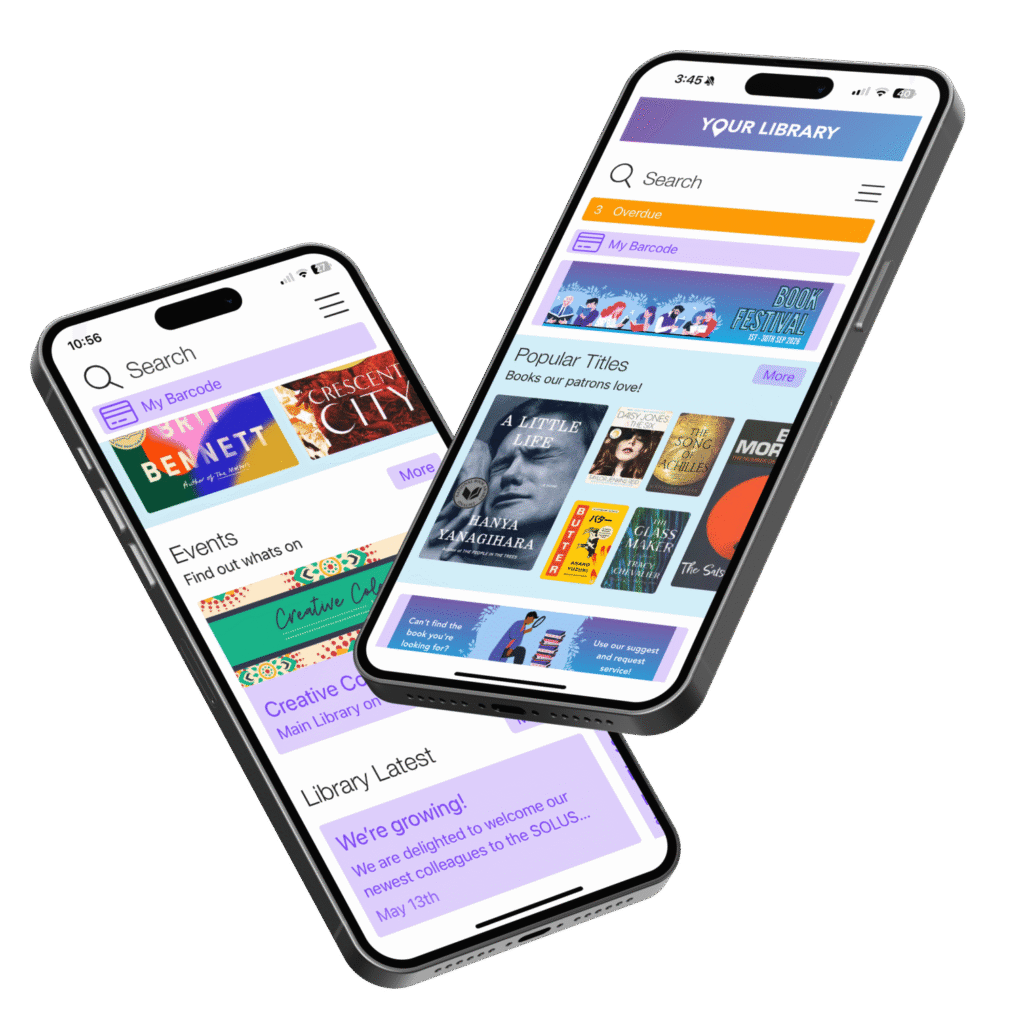
You can configure these options in your discovery platform. The SOLUS Library App is a mobile app for library patrons and staff. Test different configurations with real patrons. Ask them: “Did you find what you needed?” Their answer tells you what to change next.

3. Optimise Your Library Discovery Layer Configuration
Your discovery layer is the software sitting on top of your catalogue. It controls how search works. Most libraries never touch these settings. That’s a missed opportunity.
Start with relevance ranking. Discovery systems rank results by multiple signals: keyword match, popularity, recency, patron rating. You can adjust these weights. If your patrons care most about recent publications, boost recency. If they search mostly for fiction, weight popularity higher.
Next, configure result display. What information appears in each search result? Title and author, yes. But also:
- Cover image (if available)
- Format icon (so patrons see it’s an ebook instantly)
- Availability status (in stock, checked out, on hold)
- Average patron rating
Each of these elements helps patrons decide whether to click. More information isn’t always better, clutter hurts, but the right information helps.
Third, set up faceted search. Let patrons narrow results by clicking filters on the left side. Typical facets:
- Format (book, ebook, audiobook, DVD)
- Language
- Publication date range
- Subject area
- Audience level
Facets reduce search frustration. Instead of scrolling through 500 results, patrons click “audiobook” and see 40. Much better.
You can explore these configurations with LUCi – SOLUS, our discovery platform built specifically for libraries. Test different setups. Measure what improves patron satisfaction.
4. Use Library Search Analytics to Identify Gaps
Your search data tells you what’s working and what isn’t. Most libraries ignore this signal.
Pull a report of your most common search queries. What are patrons actually looking for? If 200 patrons search for “graphic novels” but get poor results, that’s a problem you can fix. If searches for “Spanish-language fiction” return mostly English books, your metadata needs work.
Look for failed searches too. These are queries that return zero results. If patrons frequently search for something you have but can’t find, that’s a gap. Maybe the subject heading is wrong. Maybe keywords are missing. Either way, you’ve found something to fix.
Track these metrics monthly:
- Total searches
- Average results per search
- Zero-result queries
- Most common search terms
- Click-through rate (what patrons actually click on)
A 2014 study in UKSG Insights noted that analysing search terms each academic term helps ensure collections meet users’ needs, but this principle applies to public libraries too. Your search data is a map of patron needs. Use it.
Share these insights with your collection development team. If patrons search for “true crime” 150 times per month but you have only five titles, maybe it’s time to buy more. If searches for “coding tutorials” are growing fast, that’s a signal about community interests.
5. Add Summaries and Keywords to Search Results
Patrons make split-second decisions about whether to click. They scan results, not read them carefully.
That’s why summaries matter. A 50-word abstract tells patrons whether a resource matches their need. Without it, they guess. Many guess wrong and move on.
Add summaries to every resource type:
- Books: pull the publisher’s description or write your own
- Articles: include the abstract from the database
- Videos: write a brief description of content
- Ebooks: use the publisher summary
Keywords are equally important. These are search terms that help your discovery system match queries to resources. If you have a book about “climate change and agriculture,” add keywords like “sustainable farming,” “environmental policy,” and “food security.” Now patrons searching those terms find your book.
Many discovery systems let you add custom keywords. Use this feature. Don’t rely only on what publishers provide. Your patrons search differently than publishers tag.
Test this yourself. Search your own catalogue for something you know you have. Did you find it easily? If not, add keywords and summaries to make it discoverable.
6. Test and Refine Search Result Rankings
Better search results come from testing. You can’t guess what works. You have to measure.
Start small. Change one ranking factor at a time. Maybe you boost results published in the last two years. Run this for two weeks. Measure patron satisfaction. Did click-through rates improve? Did zero-result queries decrease?
If yes, keep it. If no, revert and try something else.
Common ranking adjustments:
- Boost recent items. Patrons often want current information. But not always. Test it.
- Prioritise popular titles. Books with high circulation or ratings rank higher. This works for discovery.
- Weight keyword matches heavily. If a search term appears in the title, rank it above results where it appears only in the subject heading.
- Surface new acquisitions. Your newest books deserve visibility. Give them a temporary ranking boost.
Document your tests. Note what you changed, when you changed it, and what happened. Over time, you’ll build a clear picture of what improves results for your patrons.
Getting Started with Your Discovery Platform
Improving library discovery search results doesn’t require a complete system overhaul. Start with the low-hanging fruit: audit your metadata, add summaries and keywords, and review your search analytics.
Then move to configuration. Adjust ranking factors. Test different filter options. Let patrons guide your decisions.
The Resources – SOLUS page offers guides and practical ideas for libraries implementing these improvements.
Ready to transform your search experience? Contact SOLUS to discuss how our discovery platform can help you implement these strategies.
Most libraries treat discovery as a one-time setup. It’s not. Search quality improves when you make it a continuous process: audit metadata, test configurations, analyse data, refine again. SOLUS helps libraries at every stage of that journey. Whether you’re a single branch or a large consortium, we can help you build a discovery experience that keeps patrons coming back.
| Strategy | Focus | Impact |
|---|---|---|
| Metadata audit | Complete fields, consistent tagging | Better search accuracy |
| Add summaries | 50-word abstracts per resource | Higher click-through rates |
| Configure filters | Faceted search by format, date, subject | Faster patron results |
| Analyse search data | Track queries, zero-result searches | Identify collection gaps |
| Test rankings | Adjust relevance weights | Improved result quality |
| Monitor metrics | Track searches, clicks, satisfaction | Data-driven decisions |
Frequently Asked Questions
How can libraries improve search results for their patrons?
Start with metadata quality: ensure abstracts, summaries, and keywords are complete and consistent across your catalogue. Then use search analytics to identify which terms patrons use most and what results frustrate them. Adjust your discovery layer settings to prioritise relevance, add rich content to search result displays, and test ranking adjustments regularly.
What makes a library discovery search effective?
Effective discovery returns relevant results quickly, displays enough information for patrons to decide whether a resource suits them, and surfaces both popular and niche materials. Research from the University of Michigan Library shows that students use summaries and abstracts to evaluate resources before requesting them. Your discovery layer should also handle varied search terms, synonyms, acronyms, and common misspellings, so patrons find what they need even if their phrasing differs from your catalogue records.
How does metadata affect library search results?
Metadata is the foundation of discovery. Incomplete or inconsistent metadata, missing abstracts, poorly chosen keywords, or vague titles, means your discovery system cannot rank results effectively or display helpful context to patrons. When metadata includes structured summaries, subject headings, and relevant keywords, search results become more accurate and useful. Libraries that audit their metadata and standardise formats across databases and catalogues report better patron satisfaction and fewer complaints about irrelevant results.
What is a discovery layer in a library?
A discovery layer is the search interface that sits above your library’s catalogue and databases, presenting results in a single, unified way. Instead of searching each database separately, patrons search once and receive consolidated results. A well-configured discovery layer normalises metadata from multiple sources, ranks results by relevance, and displays summaries alongside titles.